Documentation / Alerts
Alerts
One of the best use cases for sending metrics to Graphite/InfluxDB and using Grafana is creating performance alerts that will alert you when SpeedIndex, First Visual Change or other metrics regress on your site. Grafana supports many different notification types and you can alert on all metrics that you send to Graphite/Grafana or that are in your own storage. This means you can alert on metrics from Browsertime like SpeedIndex and First/Last Visual Change, and from all other plugins that send data to your storage (WebPageTest, Coach, PageXray, etc.).
Before you start, read the Grafana alerts documentation.
Setup
There are a couple of ways to create queries and alerts:
- You want to create queries that measure the change in percentage over time and you want to create an alert when all of them are above a specific percentage.
- Or you can fire alerts when a metric difference has been over a specific value for X amount of time.
Create percentage queries
Here we test three URLs, and if the change is larger than 3% on all three URLs, an alert is fired. We test three URLs to make sure the change is for multiple URLs and not specific to one URL. The limit of when to fire the alert depends on how stable your metrics are (how stable your website is, whether you test with a proxy, how large the server instance where you run the browser is, etc.).
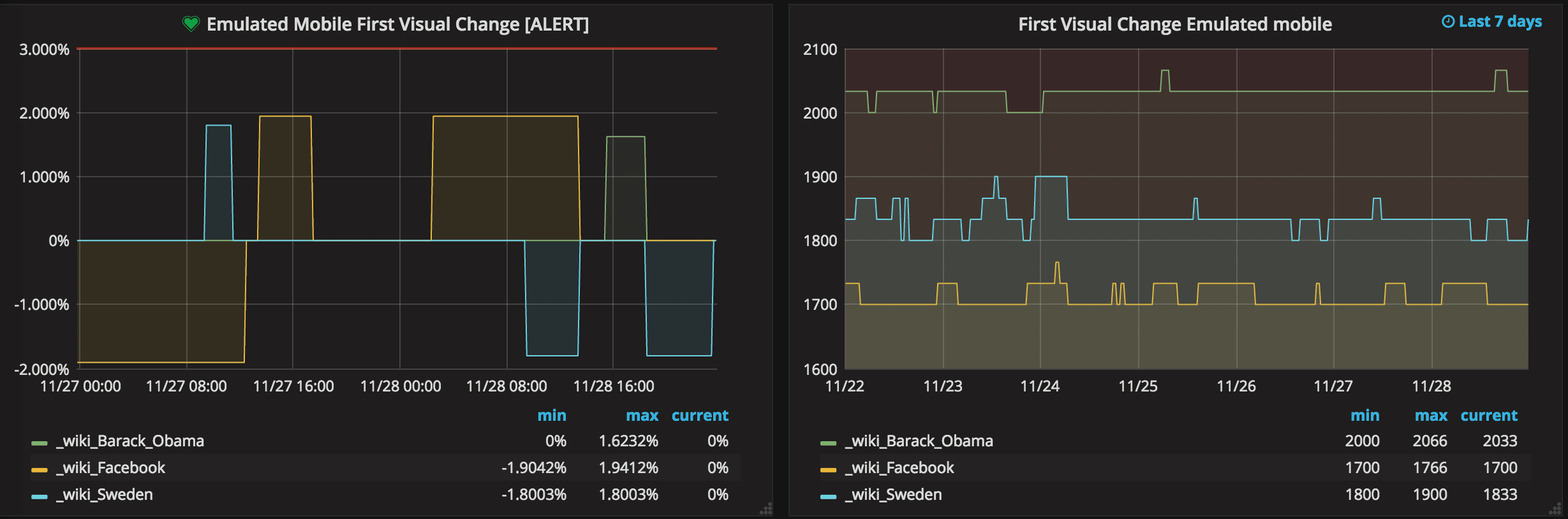
In the left part of the image you see a horizontal red line, that is when an alert is fired (sending an email/posting to Slack, PagerDuty etc). The green line is when the numbers are back to normal. In the right graph you can see the change in numbers.
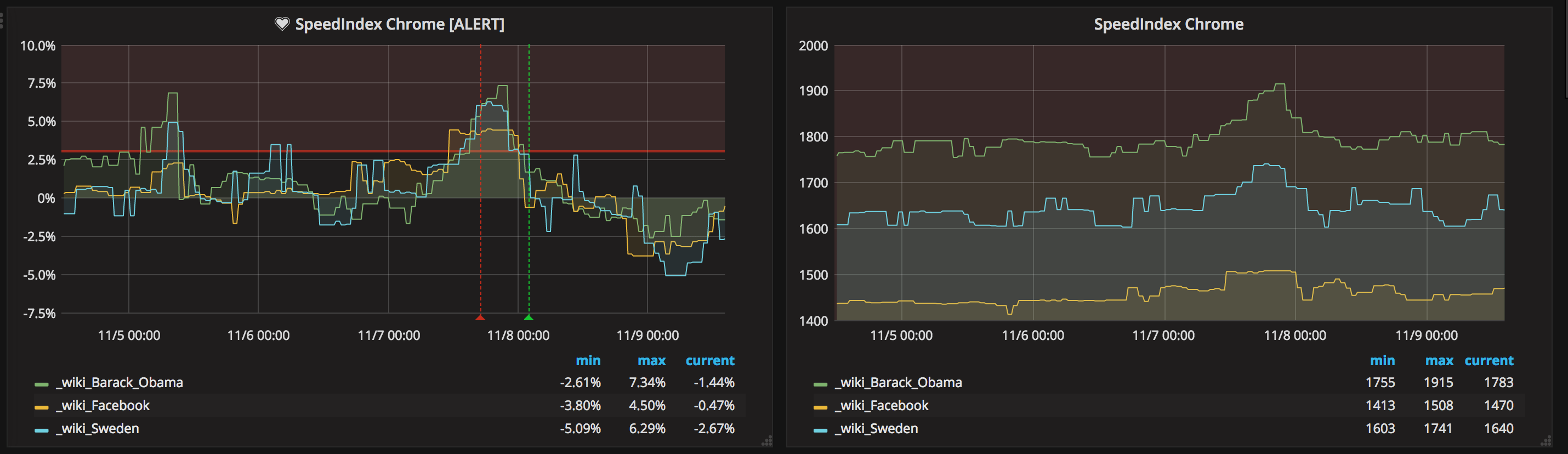
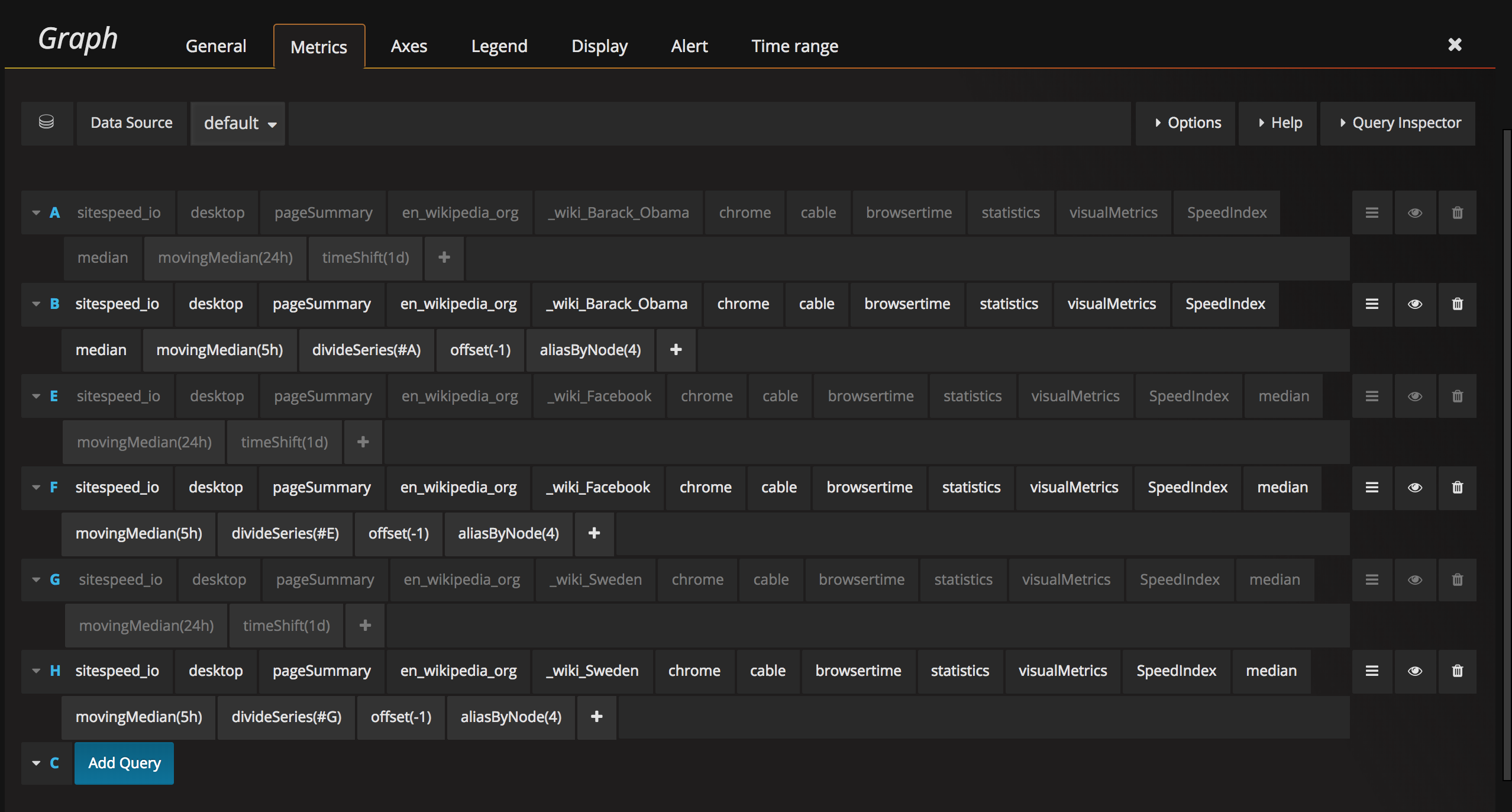
To the left we have changes in percentage. These are the numbers where we add alerts. In this case we first create a query and take the moving median one day back (this is the number we will use and compare with) and then we take the moving median of the latest 5 hours. Depending on how steady our metrics are, we can do this differently. If you run in a stable environment with a proxy you don't need to take the median of X hours, instead you can take the exact run.
If you have a really unstable environment you can instead have a longer time span.
The queries for the three URLs look like this:
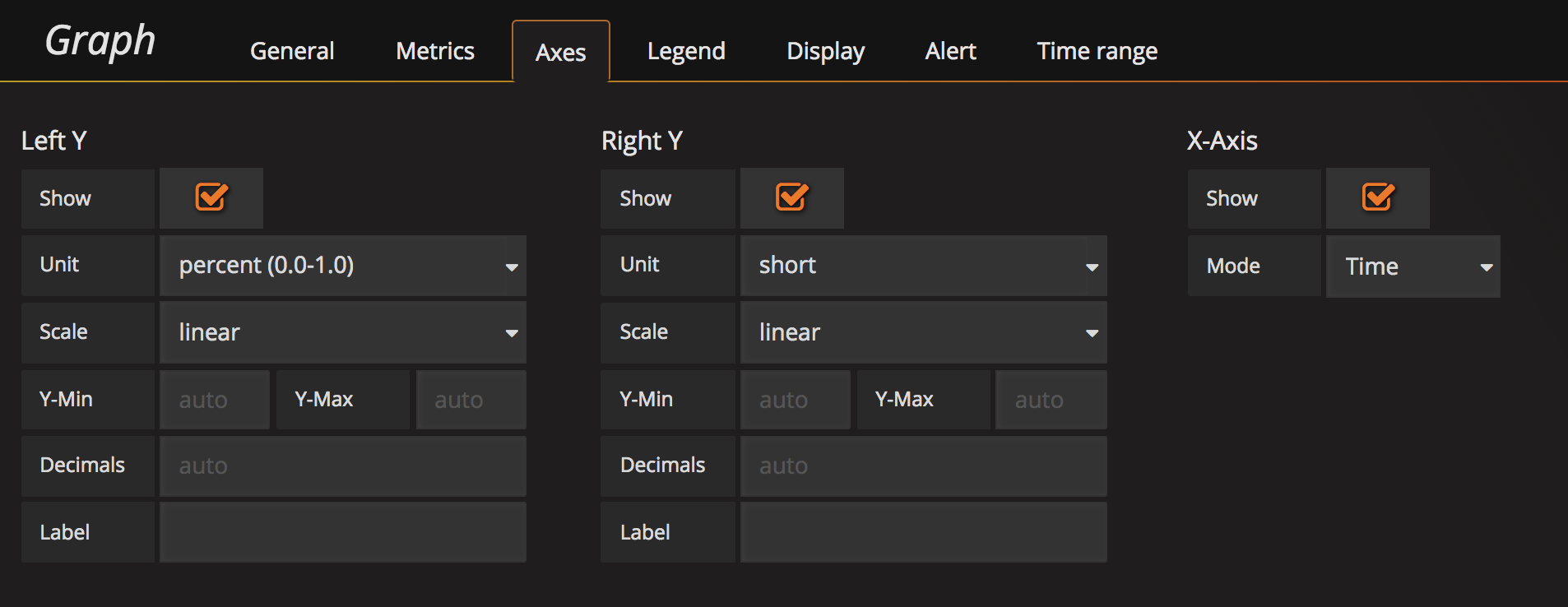
And change the axes unit to show percent: 0.0-1.0.
The alert
After that you need to create the alert. Take the median, choose a timespan and the percentage when you want to alert. In our example we do AND queries (all URLs must change) but if you are interested in specific URLs changing, you can also do OR alert queries.
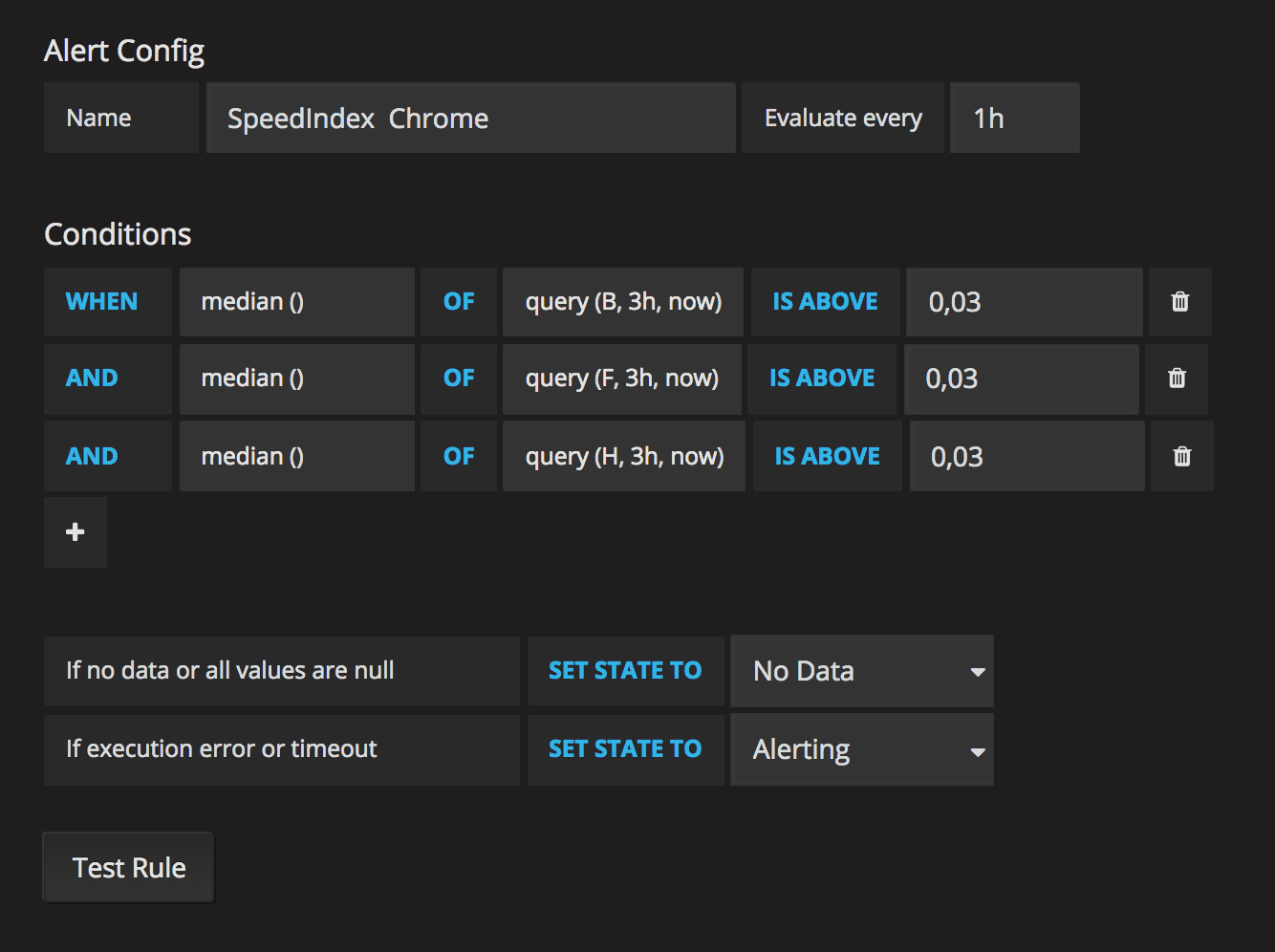
You see that we run the alerts once an hour. It depends on how often you do releases or content changes. You want to make sure that you catch the alerts within at least a couple of hours.
Create metrics queries
The other way is to create alerts that fire if a threshold is met. In this example we want to alert if the First Visual Change increases by 20 ms for three URLs. The graph looks like this:
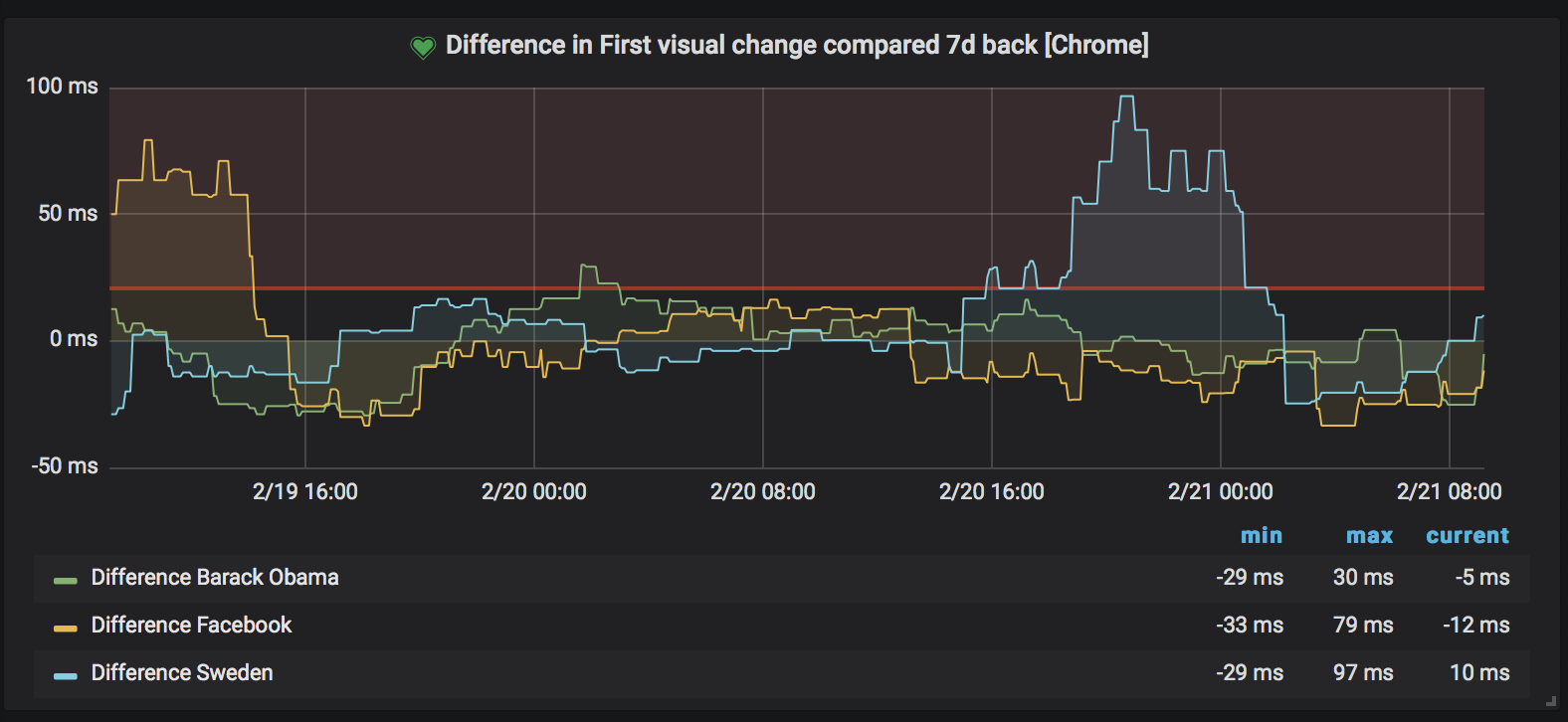
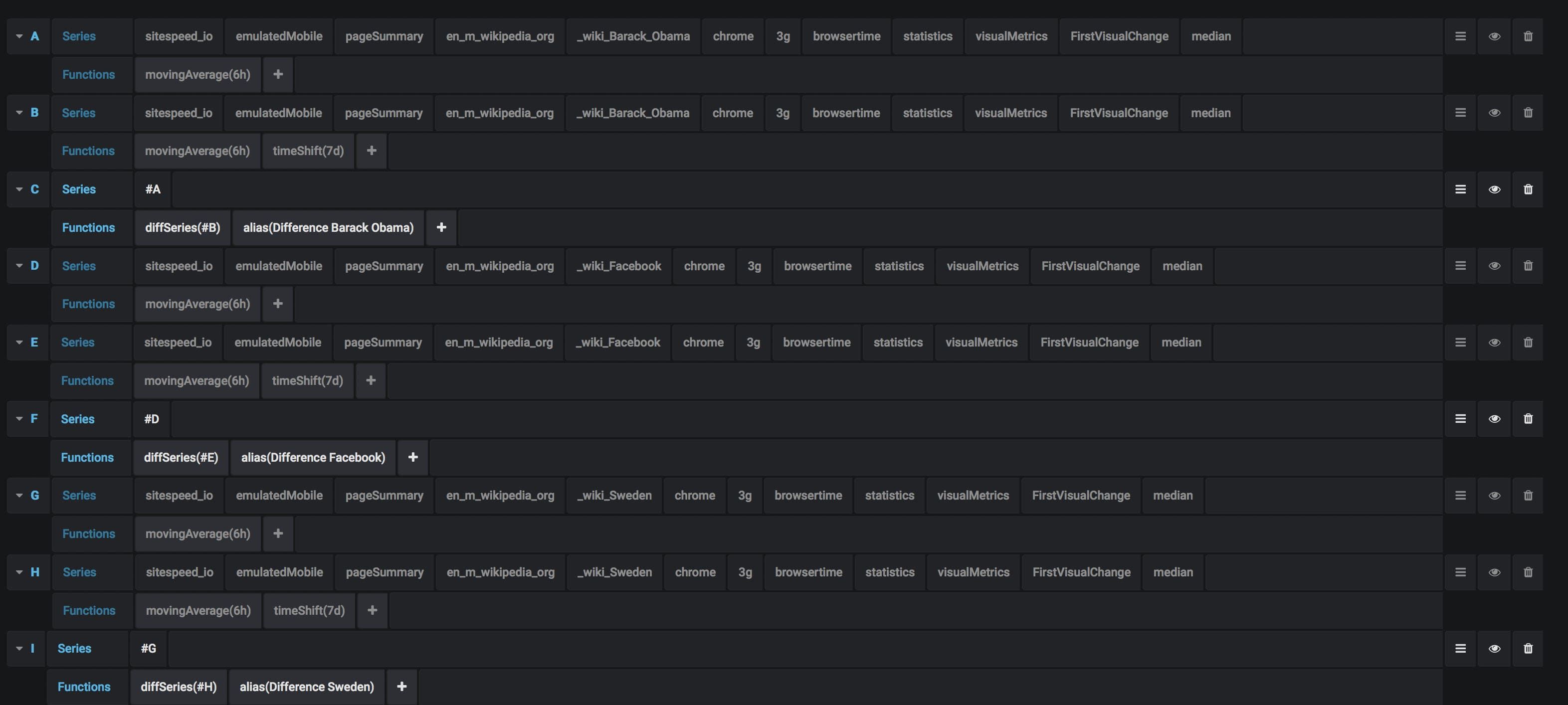
And setting up the graph is more straightforward than using percentages. You get the metric you want, diff the metric with X amount back in time and draw the difference.
The alert
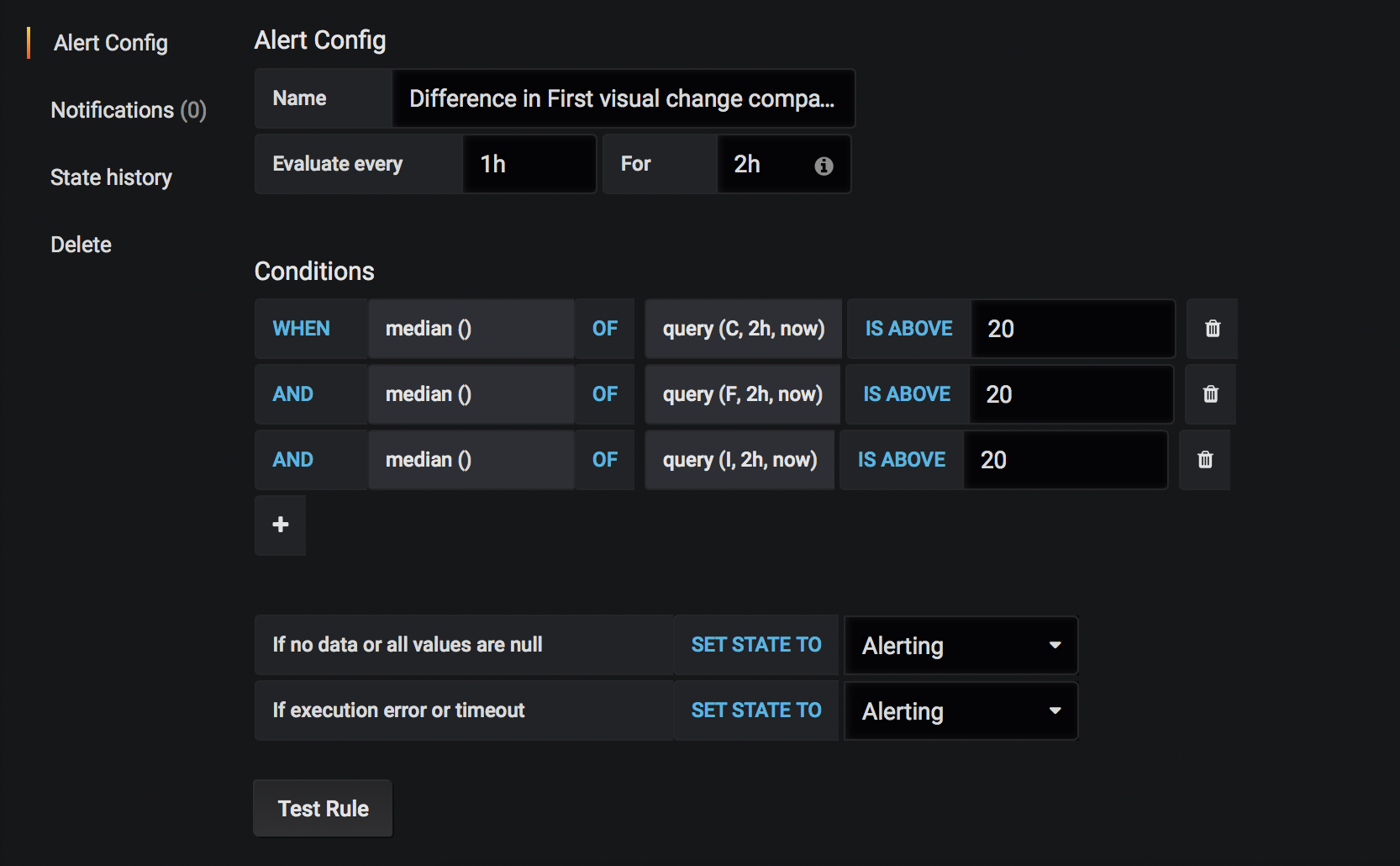
Then you set up the alert. In this example we run the alert query once every hour and it needs to fire twice within 2 hours to actually send an alert. If we make sure we run our tests at least every hour, we need two runs with higher values than the limit to fire the alert.
History graph
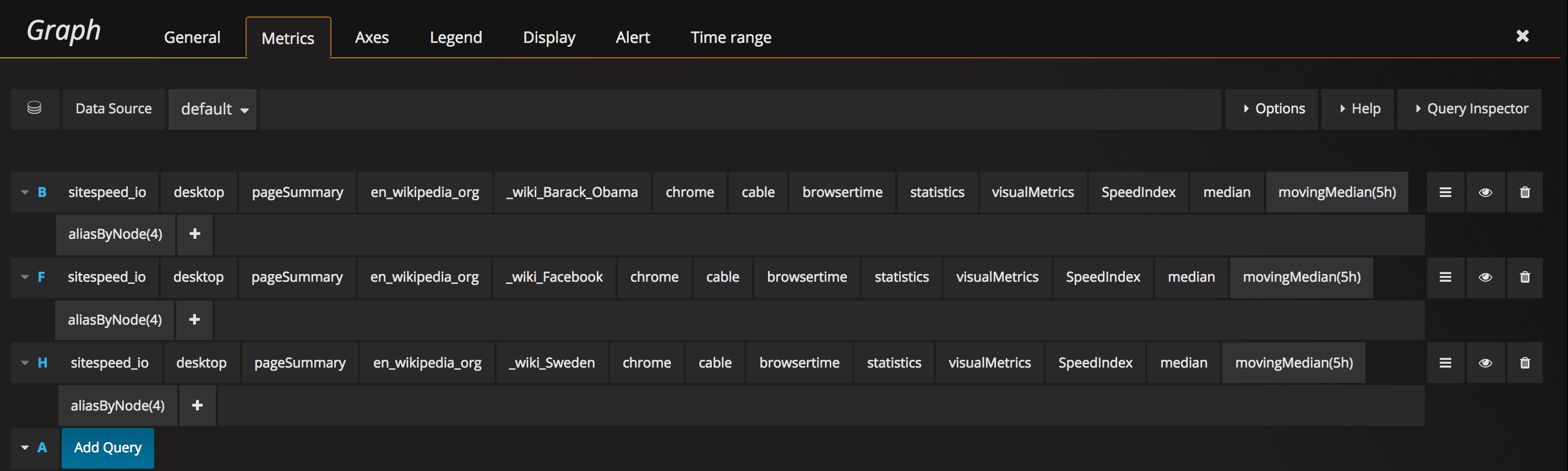
The history graph is pretty straightforward. You list the metrics you want and you configure how far back in time you want to graph them. We used to do 30 days (which is really good for seeing trends), but it was too long to see something when an actual regression was happening, now we use 7 days.
We take the moving median but you can try out what works best for you.
And then we make sure we show the last 7 days. 
More examples
Alert on response size
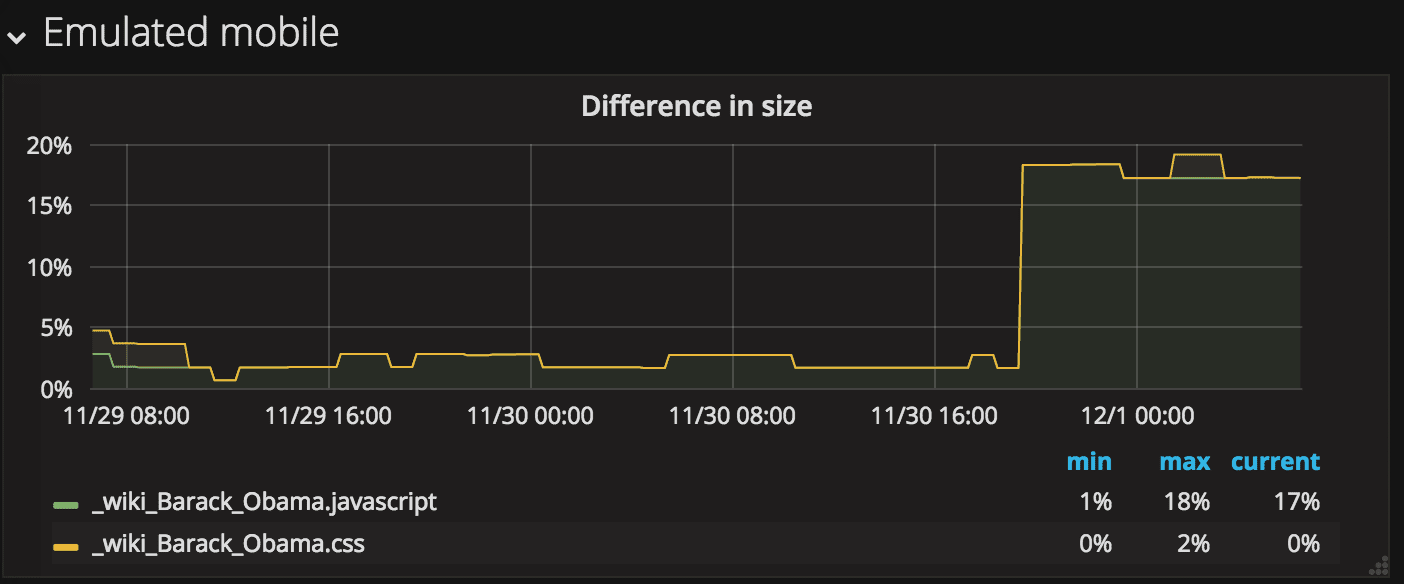
You can also create alerts that fire when a response type's size increases. Here we graph the JavaScript and CSS size.
And the queries look like this:
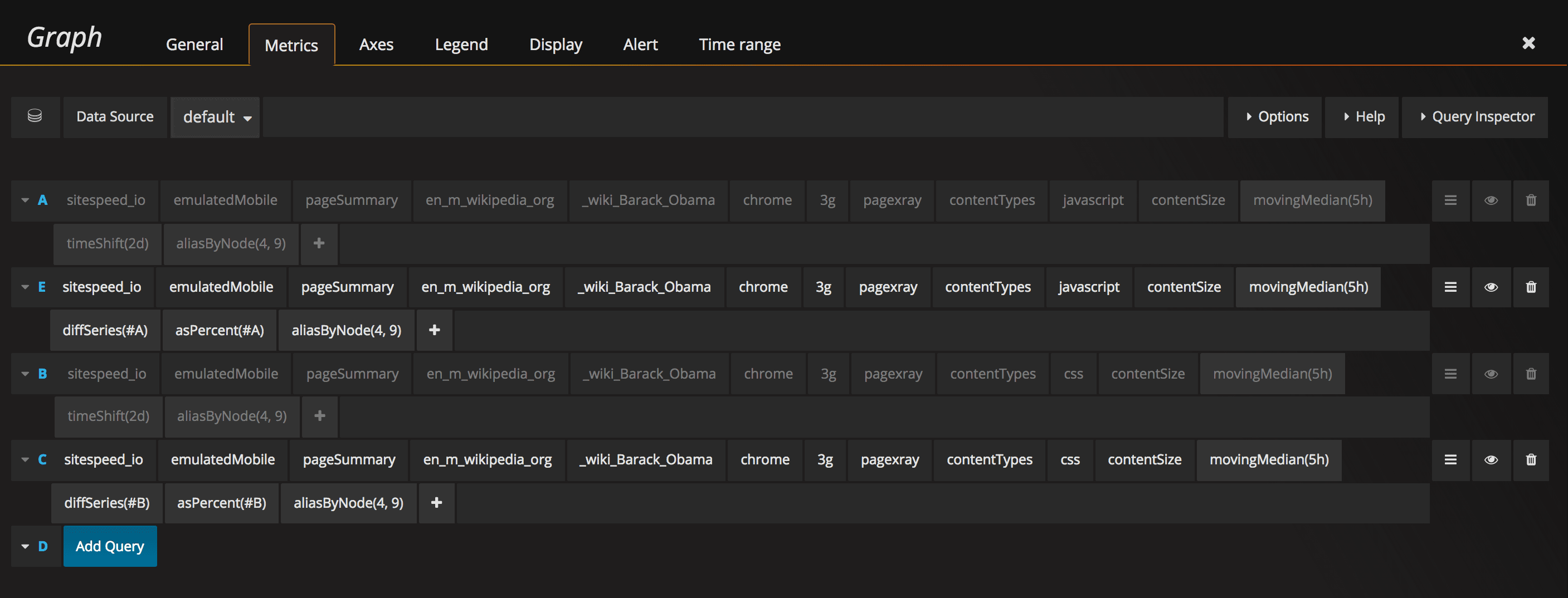
This is handy if you are not in full control of all the code that is pushed.
Alert on 404
We know it shouldn't happen, but sometimes your page references a 404 or a 50x. Let's alert on that!
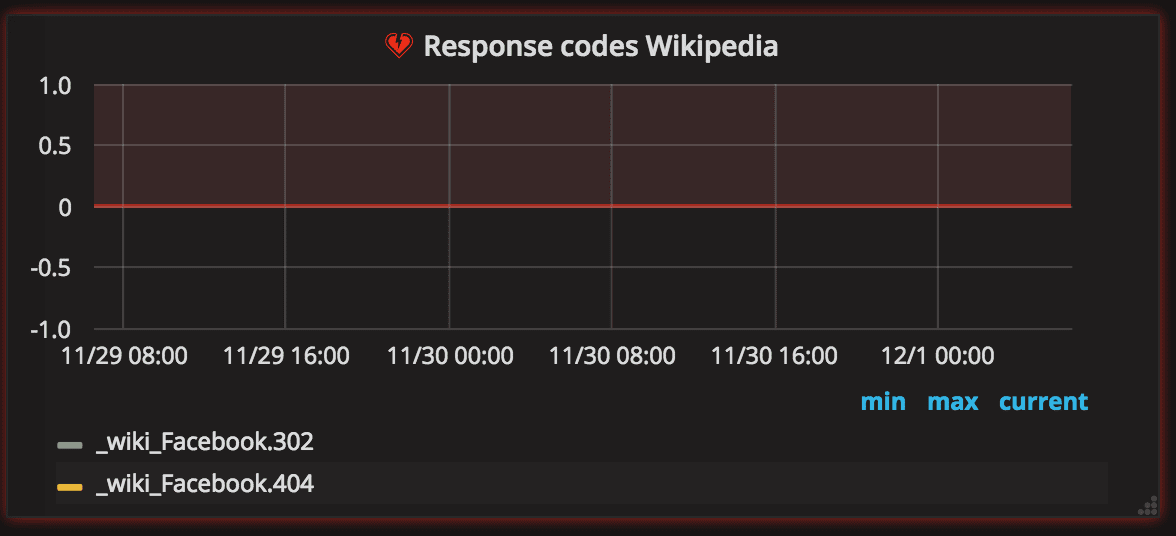
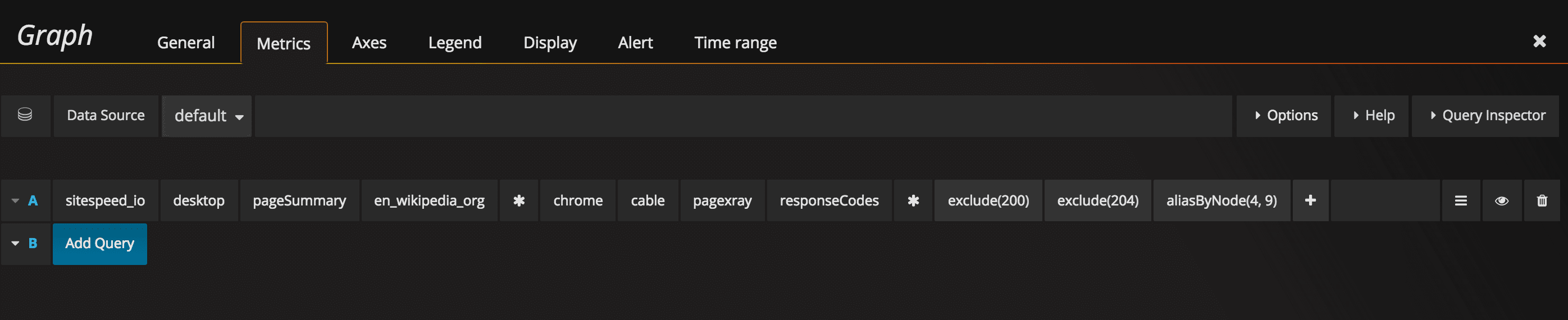
And the query looks like this (modify the excludes so that it matches what you need):
Alert on console.error
If you use Chrome in your testing you can also collect console log data. And then if you get a JavaScript error on a page you can alert on that.
Set up your query something like this:
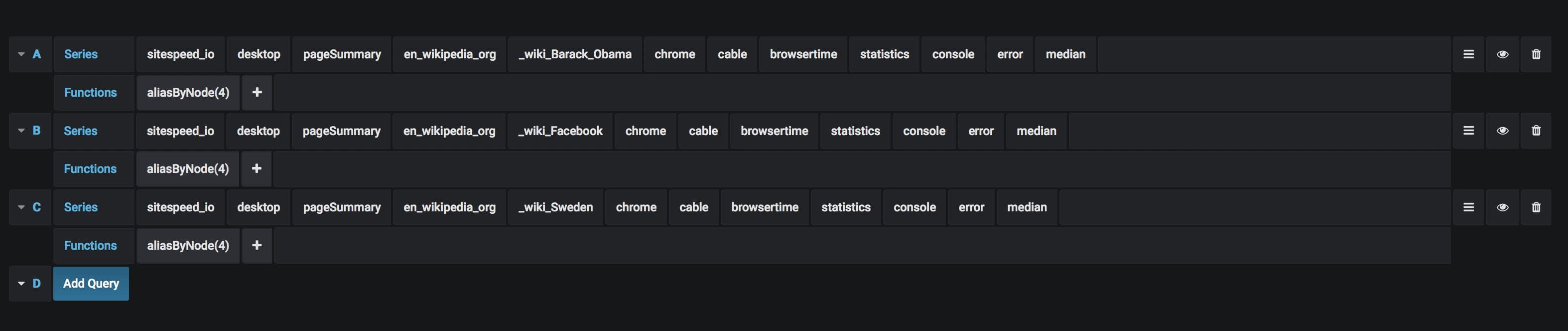
And then your actual alert. Make sure to set If no data or all values are null to No data or Ok so you don't fire alerts if you don't get any errors :)
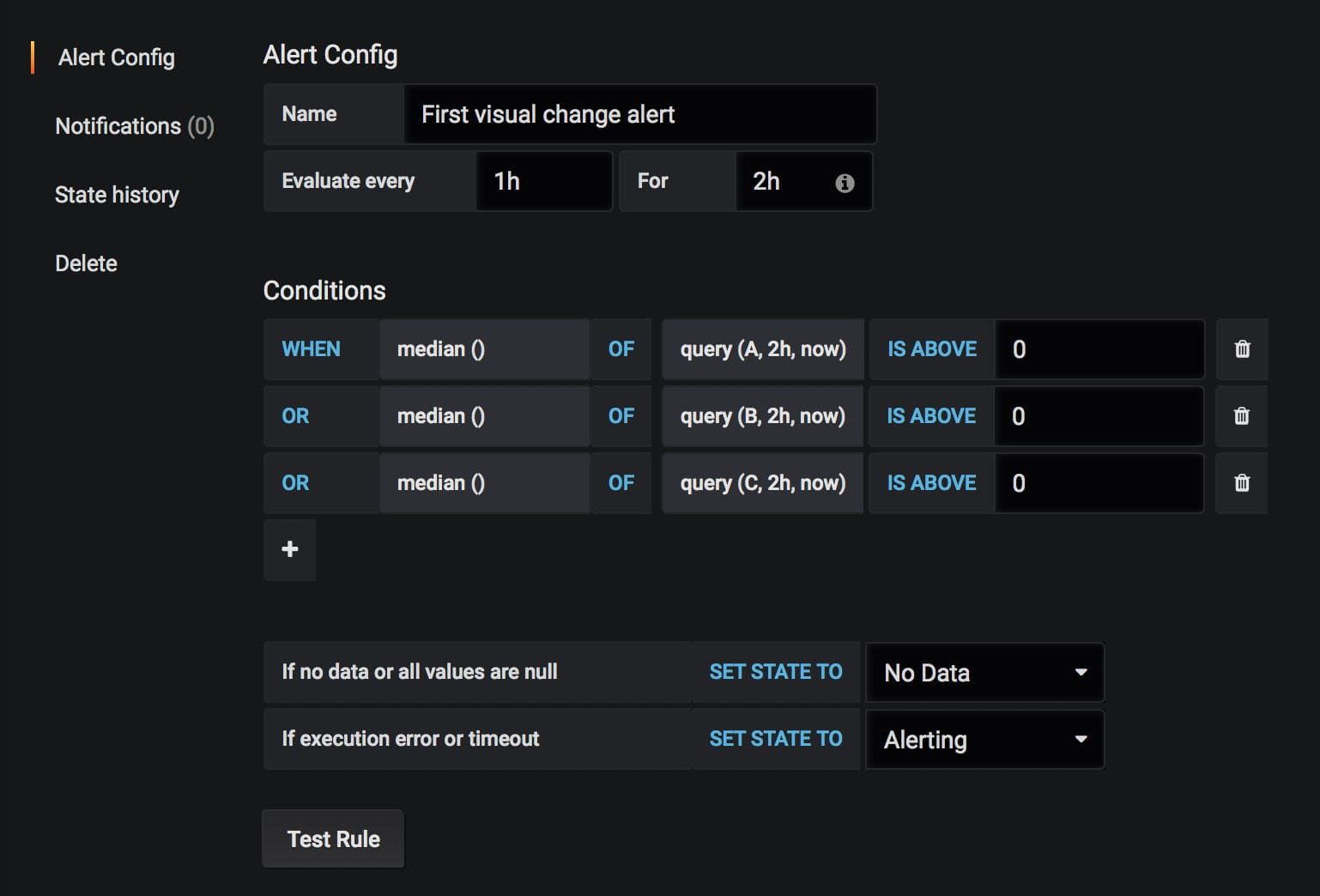
Alert on too low privacy
One of the most important metrics you can get from the Coach is the privacy metric that helps you see how well you take care of your users and whether you share their private information with other companies/websites.
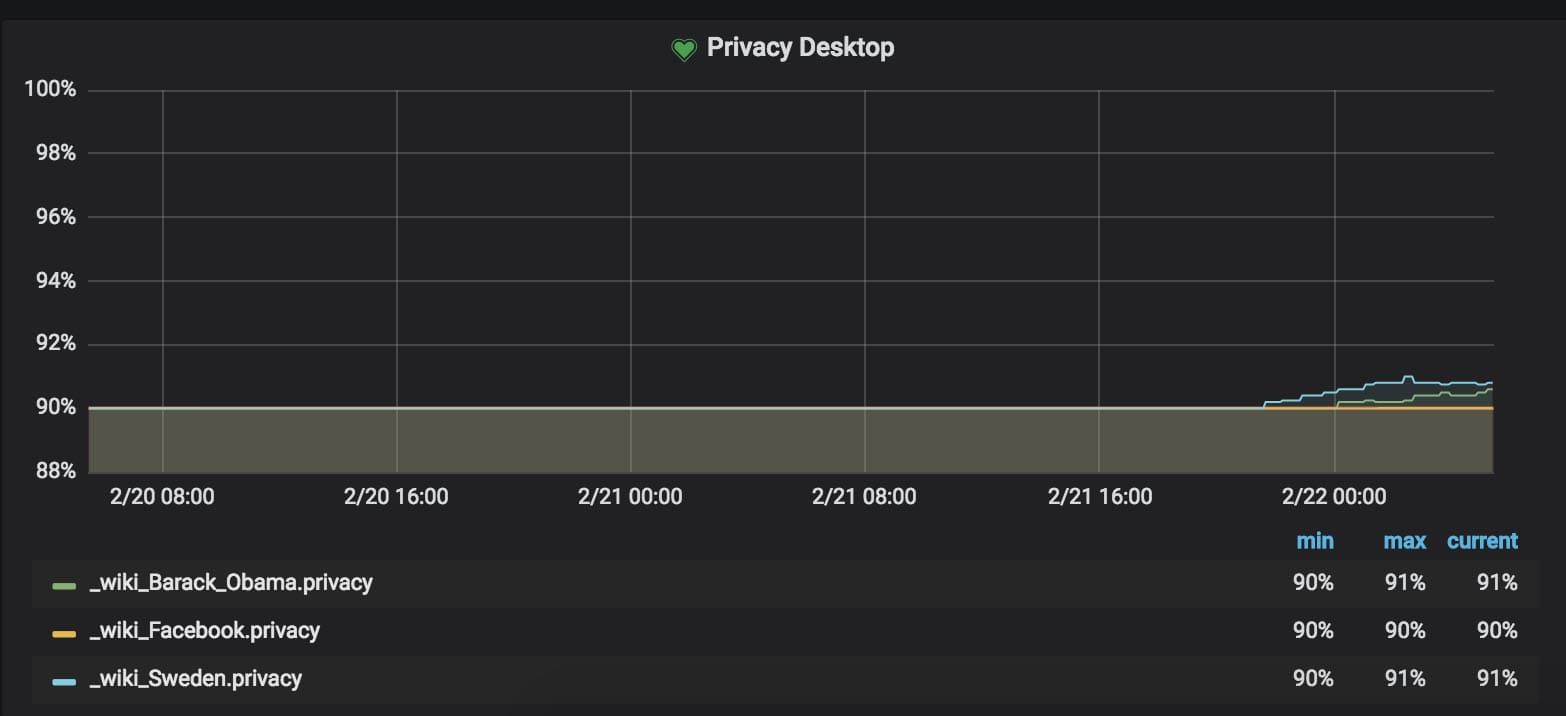
To get the metric, you query the Coach.

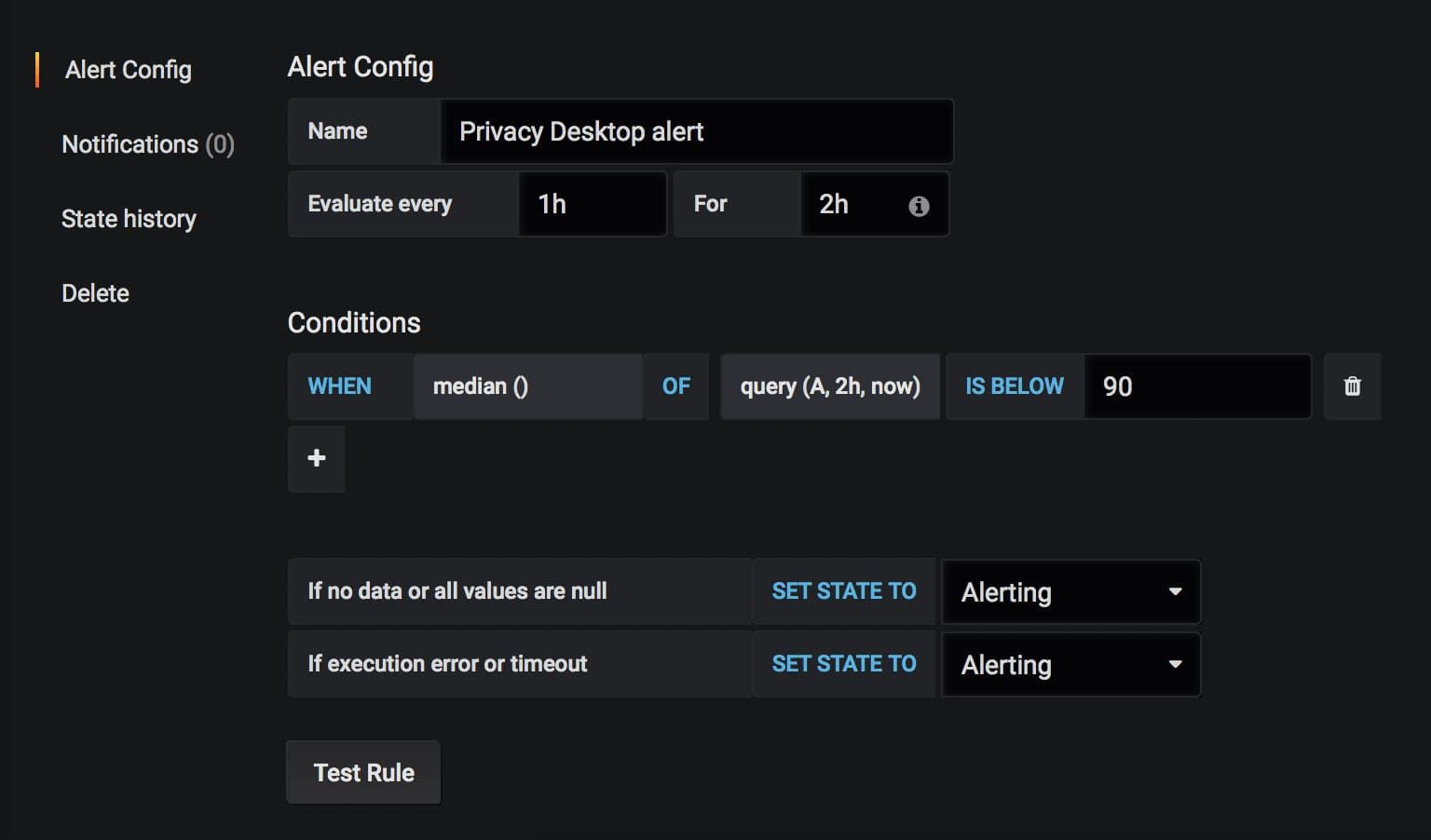
And then when you set up the alert, make sure you alert on values below your current value.
Summary
You can do the same with all the metrics you want. On mobile, Wikipedia metrics are more stable and the First Visual Change looks like this:
If you have any questions about the alerts, feel free to create an issue on GitHub or hit us on Slack.